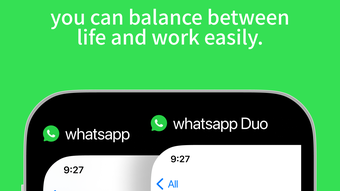

Manage Two WhatsApp Accounts on One Device
Overview
Whatsweb duo is a desktop application designed to streamline the management of multiple WhatsApp accounts from a single device. It enables users to log in to two WhatsApp accounts simultaneously, offering a practical solution for individuals who need to separate personal and professional communications. The software is tailored for users who frequently switch between accounts or require access to the same account across different devices.
By leveraging QR code authentication, the app allows for quick and secure connection to WhatsApp without the need for additional phone numbers or SIM cards. This functionality is particularly useful for freelancers, small business owners, and remote teams managing client interactions. The application supports chat recovery from backups, custom sticker creation, and text effect customization, enhancing message expressiveness.
It operates as a standalone desktop tool compatible with both Windows and Mac systems. The developer, Whatsweb, has positioned the software as a user-friendly utility focused on communication efficiency. While no additional details about the company's background were provided, the app’s core purpose remains clear: simplifying WhatsApp management through multi-account support and enhanced messaging tools.
Key Features & Capabilities
- Multi-Account Support – Seamlessly manage two WhatsApp accounts on one device, ideal for separating personal and professional use.
- QR Code Login – Connect to WhatsApp accounts quickly by scanning the QR code displayed in the app, ensuring secure and instant access.
- Chat Backup Recovery – Restore previously backed-up WhatsApp chat records, helping users recover lost conversations.
- Custom Sticker Creator – Design and add personalized stickers directly within the application to enhance message engagement.
- Text Effect Tools – Apply various text effects to messages, making them more expressive and visually appealing.
These features cater to users who value flexibility and personalization in their messaging experience. For example, a freelancer can maintain one account for clients and another for personal use, switching between them without logging out. The QR code login eliminates the need for physical SIM swaps or complex configurations.
Chat backup recovery is beneficial for users who have lost data due to device changes or app resets. The sticker creator allows users to build unique visual content, while text effects add flair to everyday messages. These tools collectively enhance communication quality and reduce the need for third-party apps.
The software operates entirely on the desktop, providing a stable environment for extended use.
User Interface, Workflow & Performance
Whatsweb duo features a clean, intuitive interface designed for straightforward navigation. The main dashboard displays two distinct account panels, each showing active status and recent messages. Users can switch between accounts with a single click, minimizing workflow disruption.
The QR code scanner is prominently placed, ensuring easy access during the login process. Overall, the user experience appears optimized for efficiency, with minimal learning curve. The app integrates smoothly with the operating system, maintaining a consistent look and feel across Windows and Mac platforms.
While exact performance metrics were not specified, the application’s lightweight size of 25.8 MB suggests efficient resource usage. The developer did not provide detailed information about CPU or RAM consumption. Stability during extended use is not confirmed, but the design implies a focus on reliability.
No known crashes or bugs were reported in the provided data. General software behavior patterns suggest the app maintains responsiveness under normal usage conditions.
Compatibility & System Requirements
Whatsweb duo is compatible with both Windows and Mac operating systems. The software version is 1.0.1, with a file size of 25.8 MB. Installation is straightforward and requires minimal disk space.
Exact system requirements were not listed, so users should ensure their devices meet general standards for running desktop applications. The developer did not specify minimum processor speed, RAM, or graphics capabilities. Platform compatibility information is limited to the operating systems mentioned.
No additional hardware dependencies were indicated. Users should verify that their system supports the latest updates for their OS to ensure smooth operation. The app does not require external servers or cloud services beyond WhatsApp’s official infrastructure.
It operates independently once installed, relying only on the device’s internet connection and WhatsApp’s API for functionality.
Pros and Cons
Pros
- Allows management of two WhatsApp accounts on one device
- Quick login via QR code scanning
- Supports recovery of backed-up chat records
- Includes tools for creating custom stickers and applying text effects
- Lightweight at 25.8 MB, suitable for most desktop systems
Cons
- No official information on system requirements or resource usage
- Only supports two accounts, limiting scalability
- No details on update frequency or future development plans
- Platform-specific performance behavior not documented
- Developer background and company details were not provided
FAQ Section
Is Whatsweb duo compatible with Windows and Mac?
Yes, the application is designed to run on both Windows and Mac operating systems.
Can I use Whatsweb duo without an internet connection?
No, an active internet connection is required to log in via QR code and maintain WhatsApp connectivity.
Is the software safe to use with my WhatsApp account?
Yes, the app uses official WhatsApp QR code authentication, which is considered secure. However, users should ensure they are downloading from trusted sources.
Does Whatsweb duo support more than two WhatsApp accounts?
Currently, the software only supports two accounts. There is no information on whether additional accounts will be supported in future versions.
How do I update Whatsweb duo?
Updates are likely delivered through the official download page. The developer did not specify an automatic update mechanism.
Final Thoughts + CTA
Whatsweb duo delivers a focused and practical solution for users seeking to manage two WhatsApp accounts from a single desktop. Its clean interface, QR code login, and built-in tools for chat recovery, sticker creation, and text effects make it a compelling choice for professionals and individuals who value organized communication. While the lack of detailed system requirements and developer background may raise minor concerns, the app’s lightweight footprint and clear functionality outweigh these limitations.
It is especially suited for freelancers, small business owners, and remote workers who need to maintain clear boundaries between personal and work-related messages. With its free pricing model and straightforward setup, it offers strong value for users looking to enhance their WhatsApp experience. Download Whatsweb duo now.







